
Matt
Administrator
-
Joined
-
Last visited
Everything posted by Matt
-
There is a toggle at the top of the sequence editor on the 2nd row for "auto select" that is turned off by default. Enable that and you can also disable the other 1 if you don't want to see it.
-
@garzilla modified it for 20, but the official version doesn't have the PreShow code in it.
-
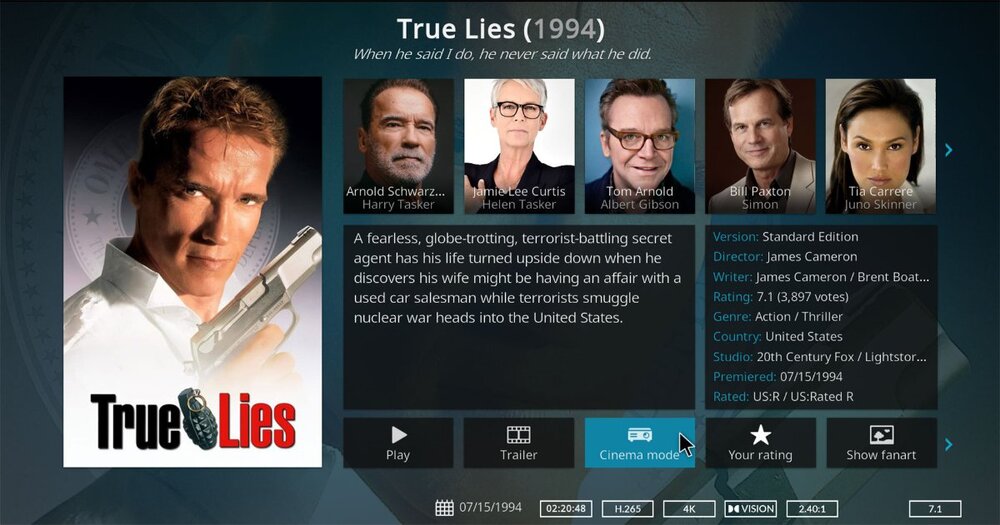
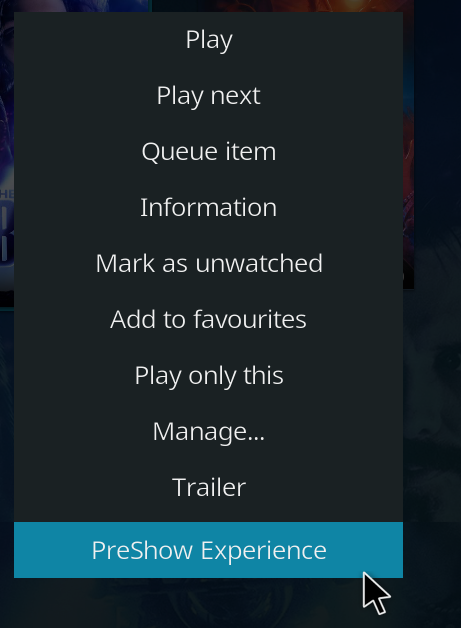
Hey @ani. Make sure that you've restarted Kodi after installing PreShow. There are 2 ways to launch PreShow. The 1st is to open the context menu and select PreShow Experience. The 2nd is to install a skin that has PreShow in it. I don't keep track of all of the skins that work with PreShow, but here are a few that have been modified: https://preshowexperience.com/files/category/7-skins/ Let me know if you have issues after trying these.
-
It may be possible to do that with an action file, but it wouldn't be simple and may not work. The short answer is probably no.
-
Open PreShow so that it crashes and then restart/relaunch kodi. Then go into the PreShow settings without opening it and post the old log to pastebin. There are many reasons why a pi could crash and I don't think there will be much I can do to fix the issue. I will take a look and see if I can figure anything out though.
-
@KHC I am still trying to figure out your issue. I'll respond back at a later date. @omarobyI didn't see your log in discord. I tested the credits action on my Nvidia Shield many times and had no problems with the release version. Share the log and I'll see if I can figure out what's going on.
-
I don't think Yatse has a direct button to launch PreShow. It's been a really long time, but I don't think they ever agreed to make it work with the previous addon. As far as I know, you can only use it as a remote with PreShow. I don't use it though, so other may now better than me.
-
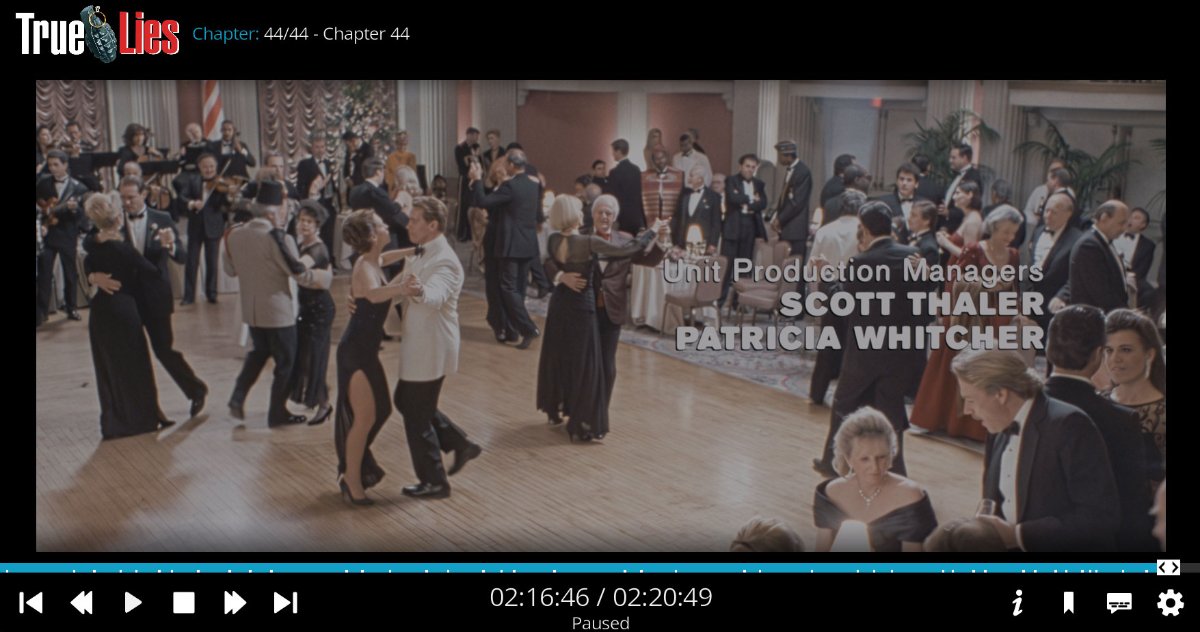
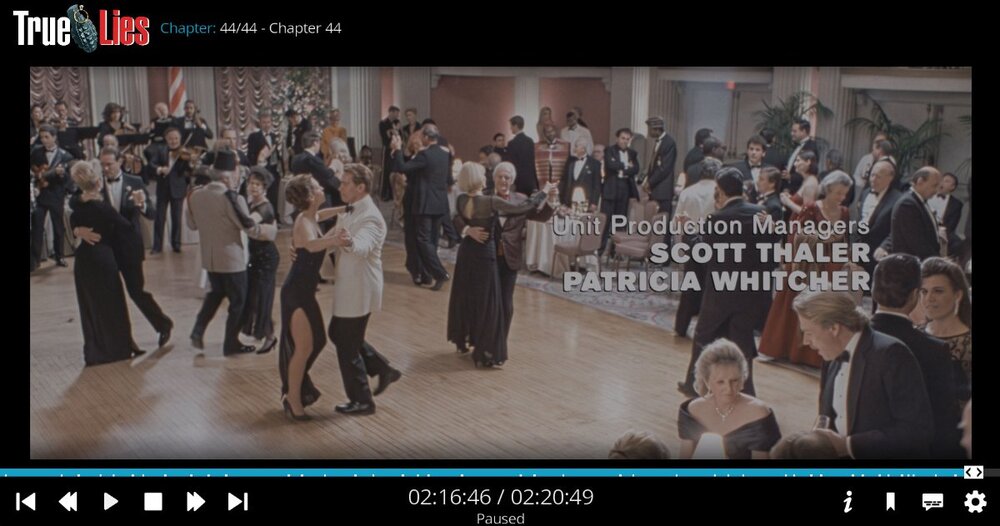
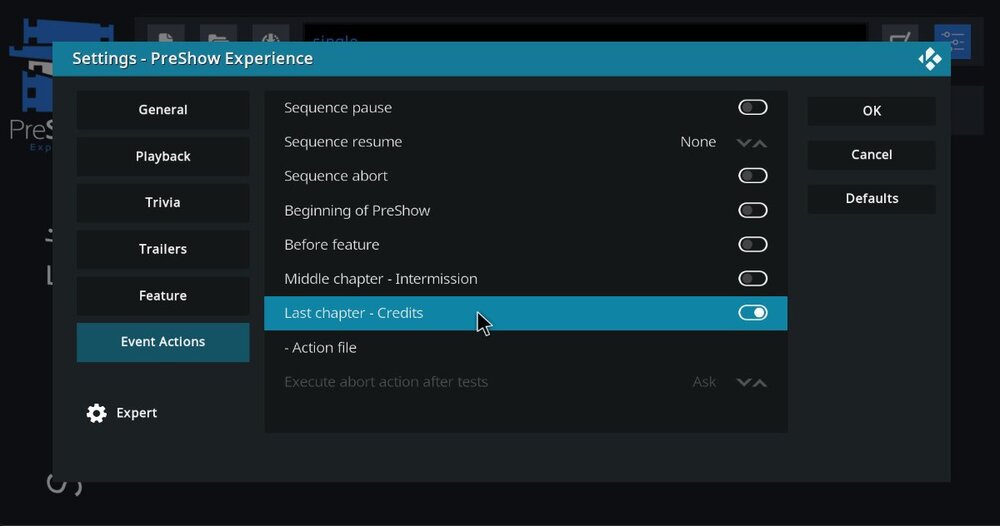
Just to confirm, are you setting the credit action, as seen in the image below? If so, does your video have multiple chapters, with the last one starting around the credits, as seen in the image below?
-
To show the movie without the PreShow queue editor opening, go into the PreShow settings under the Playback tab and click "hide queue editor." I am assuming that you have the end credits action set? If so, there are 2 possible reasons. The 1st is the functionality required that Kodi accurately report your chapters, which isn't guaranteed with an external player. And the other is that your movie has a last chapter at the end of the file. Check your file to see the location of the last chapter. If it is at the credits, or some time before the end of the movie, try playing it with the default player to see if it works differently.
-
This is a little later in the development cycle than would normally be the case, but I'm sure you'll understand why. It's traditional, as we move towards the release of a new version of Kodi, to begin the process of naming what will become its successor. In recent years, "Leia" gave way to "Matrix", which moved aside for "Nexus", and then on to our current version, "Omega". There's a clue there to the pattern, so P-something it is. Our normal process would be to ask the forums and team for suggestions, edit these down to a shortlist, and then run an internal poll and choose a winner. However, the shortlisting was done a little quickly this time, and we ended up picking a P-name that was already in use for a problematic add-on (arrr, shiver me timbers, and all that - absolutely not a connection we'd wish to make). The obvious solution was to skip that one, then, and move to the second choice - except that turned out to be the name of a legitimate streaming service. And the third? Another problematic add-on. As the team deliberated the need for another poll, we heard sad news about a colleague and team member whose contributions to Kodi have been so immensely valuable. His death at such a young age gave everyone pause, and with his name just-so-happening to begin with exactly the right letter, it seemed fitting to mark his passing with more than just a blog post. So with muted fanfare, we memorialise our good friend, and continue development towards Kodi v22, "Piers". You will, of course, hear more about this as the development branch takes shape, and you can follow development on GitHub as you wish. View the full article
-
The only issue that I know with the log upload is if you don't restart Kodi before doing the action and creating the log. Pastebin has a size limit and won't accept larger files. You can also install Kodi Logfile Uploader from the Programs section of the Kodi repository and send me a link to the log file showing when you experience the issue.
-
Please share a log so I can see what's going on. To share a log, close out of Kodi and then reopen it. Recreate the issue, then go into the PreShow settings and scroll down in the general tab until you see "paste my kodi.log to pastebin." Click that and then click "current." Next, click Show QR code and use your phone to get the link to the pastebin page. You can either share that in this thread or send me a direct message through the site with it.
-
Here's a link to some of the skins on this site: https://preshowexperience.com/files/category/7-skins/
-
Make sure you are using a skin that supports it and make sure you restart Kodi after installing PreShow.
-
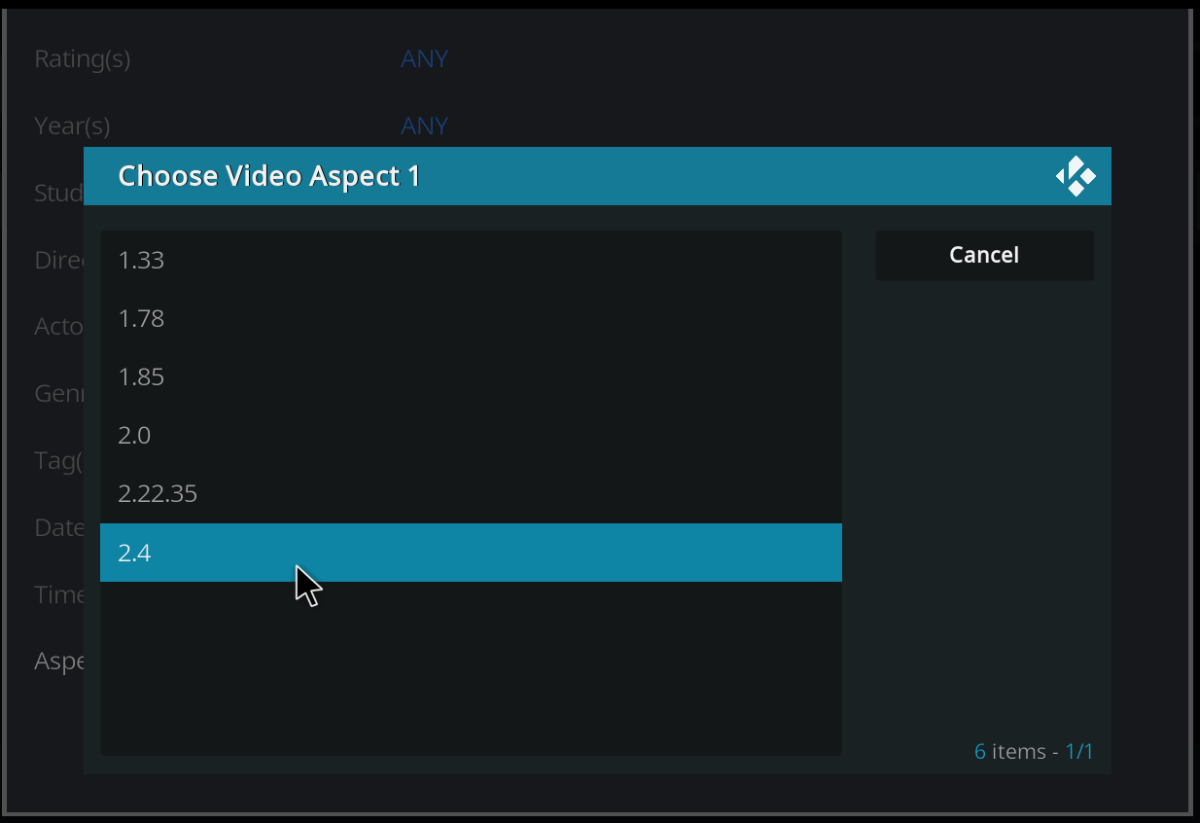
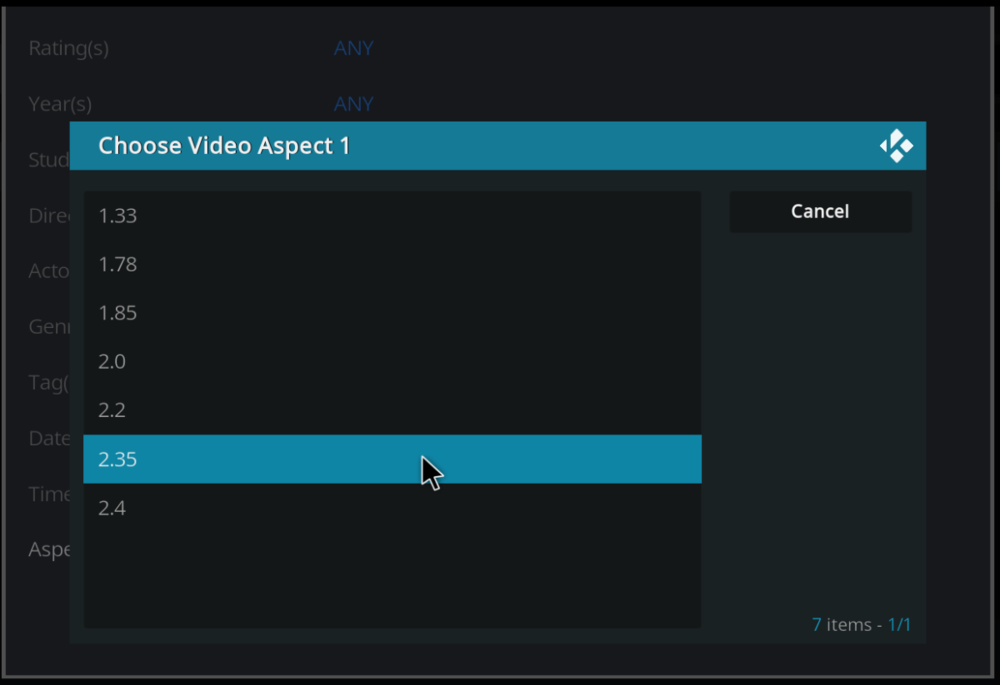
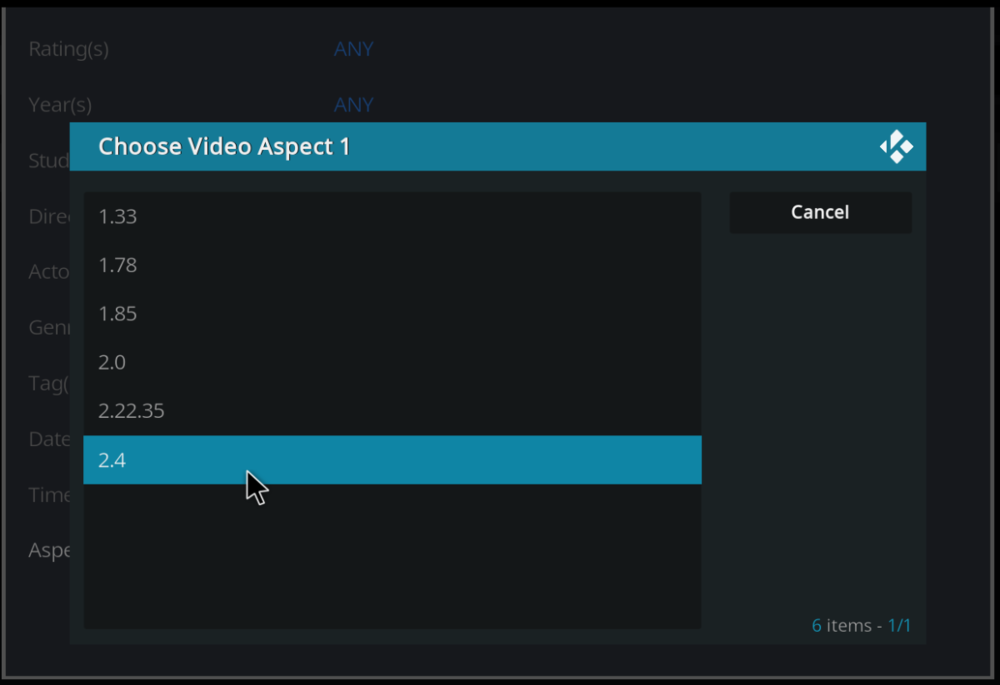
The combined aspect ratios have been fixed and will be in the next version. Let me know if it works for you, excluding the broken aspect ratios.
-
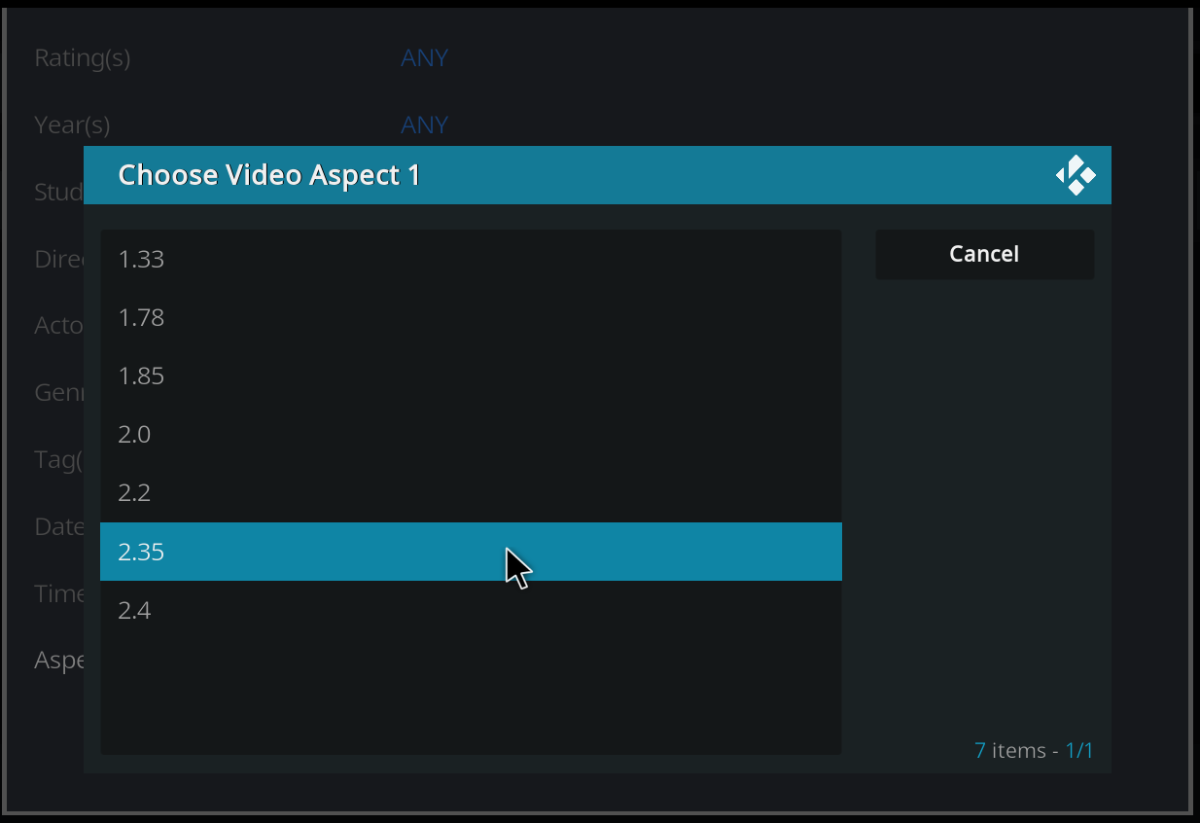
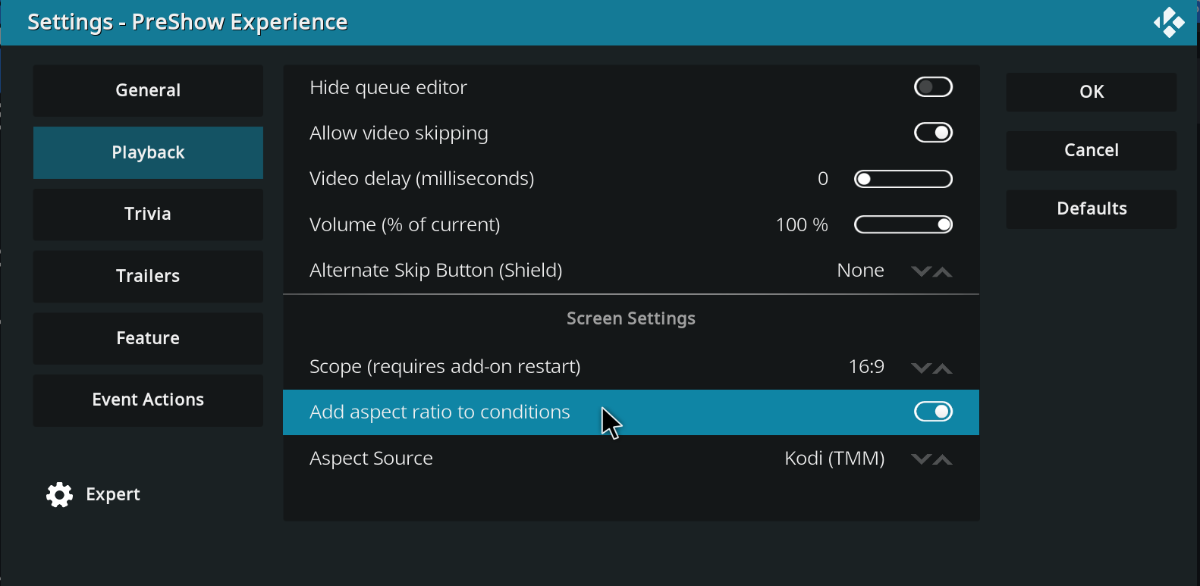
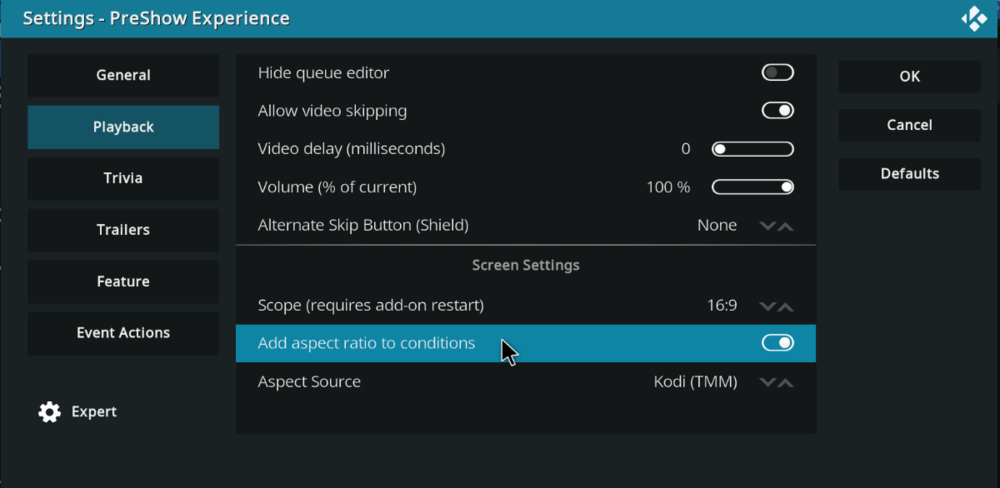
The setting is in the playback tab. Pick whether you use tinymediamanger or want it to scan IMDB, which does add time to load the queue editor. You can then go into the sequence and add conditions. I just realized something happened to combine the 2.2 aspect ratio with 2.35. I'll have to fix that in the next version.
-
It was worth a shot. I'm not sure what else to recommend. Here's a topic about the loading icon: And here are some Matrix skins for PreShow: https://preshowexperience.com/files/category/18-skins-for-kodi-20-matrix/
-
You may be able to turn the external player off and on again so that the preshow uses the internal and the movie plays with the external. Here are instructions and action files for Zidoo, which may work for you:
-
Google translate ... Danke für die zusätzlichen Infos@ säure303 und danke für die Übersetzung@Marius. Die Protokolldatei zeigt nur die Wiedergabe einer Datei und keine Fehler in PreShow. Ich habe dies auf Android, PC und MAC getestet und keiner von ihnen hatte Probleme beim Abspielen einer einzelnen Datei. Ich besitze kein Himedia q10 pro, daher kann ich das nicht testen. Das Einzige, was ich sehe, ist, dass es einen externen Player verwendet, hu.xmister.xbmcwrapper. Mein erster Vorschlag ist, diesen auszuschalten und zu sehen, ob die Sequenz mit dem Standardplayer abgespielt wird. Stellen Sie als Nächstes sicher, dass in den Einstellungen ein Inhaltsordner festgelegt wurde, und legen Sie die Dateien in den standardmäßigen PreShow-Inhaltsordnern ab. Put Auf.mp4 in Theater Intro. Put Jetzt kommt die Werbung.mp4 in Sponsors. Platzieren Sie die Videos, die sich derzeit in der Werbepause befinden, in der Werbepause. Put Das war die Werbung.mp4 in Theater Outro. Dann sollte die Reihenfolge sein: Theater-Intro - Zählung 1 Sponsoren - Anzahl 1 Werbespots - Anzahl 3 Theater Outro - Anzahl 1 Besonderheit Stellen Sie sicher, dass diese Ordner keine zusätzlichen Dateien enthalten. Teilen Sie mir die Ergebnisse mit.
-
Thanks for the additional info @acid303 and thank you for the translation @marius. The log file only shows 1 file being played, and no errors within PreShow. I've tested this in Android, PC & MAC, and none of them had issues playing a singe file. I don't own a Himedia q10 pro, so I can't test that. The 1 thing that I see is that it uses an external player, hu.xmister.xbmcwrapper. My first suggestion is to turn that off and see if the sequence plays with the default player. The next thing is make sure a content folder has been set in the settings and put the files into the default PreShow content folders. Put Auf.mp4 in Theater Intro. Put Jetzt kommt die Werbung.mp4 in Sponsors. Put the videos currently in intermission in Commercials. Put Das war die Werbung.mp4 in Theater Outro. Then the sequence should be: Theater Intro - Count 1 Sponsors - Count 1 Commercials - Count 3 Theater Outro - Count 1 Feature Make sure those folder don't have any extra files in them. Let me know the results.
-
I am unable to recreate this issue. Can you please share your sequence file and a new log file of it playing your entire sequence? @marius Can you please help me figure out if there's something else that I'm missing or not understanding here?
-
In the log I can see that your sequence should play: 1 single file: Auf.mp4 1 single file: Jetzt kommt die Werbung.mp4 3 videos from the directory: Intermission 1 single file: Das war die Werbung.mp4 Does that match what you are seeing in your sequence? It looks like the sequence ended after playing "Auf.mp4." I'm not sure if that was intentional or not. Can you play the entire sequence and send me a new log file? Also, you can just send the pastebin link if that is quicker for you.
-
Hello @acid303 I'm not seeing this behavior. Can you send me a log file? To share a log, close out of Kodi and then reopen it. Play the sequence where you are having the issue, or do whatever to recreate the issue. Then go into the PreShow settings and scroll down in the general tab until you see "paste my kodi.log to pastebin." Click that and then click "current." Next, click Show QR code and use your phone to get the link to the pastebin page. You can either share that in this thread or send me a direct message through the site with it.
-
View File Graveyard Halloween Feature Intro This is a 4k Halloween "Enjoy the movie" bumper with surround sound. Submitter Matt Submitted 06/14/2024 Category Holiday Bumpers
-
 This is a 4k Halloween "Enjoy the movie" bumper with surround sound.