acid303
Member
-
Joined
-
Last visited
-
Hi, I've looked at it. Thanks for that. I found another solution using WLED. However, I can't get the light to dim slowly and turn off after 30 seconds. Here's the command, in case you don't already know it. "http://IP LED/win&T=0" This turns the light off completely. If you then replace the 0 with 1, it turns back on. I speak German. Hope that's understandable. I got it working. Here's an example with 30-second dimming and a brightness of 50% via WLED at "http://IP WLED/win&A=50&TT=30000" and then off at "http://IP WLED/win&A=0&TT=30000"
-
Thank you for the feedback. It would be great if Govee could work with PSE and Home Assistant, as I also have Govee installed in my home theater. My goal is for all the lighting to turn off when the movie starts and back on when it ends.
-
Hi, is it possible to create an action with Govee or Nanoleaf? It works perfectly with Philips Hue LEDs. Or could it be done via Home Assistant?
-
Hi, thanks for the link. I was able to test it without any problems. The DS Player is integrated into Kodi, so the lights turn off and on again as desired at start and end – everything works perfectly. The only thing that's not quite right is the aspect ratio: It always runs in full screen mode instead of 21:9.
-
Hello, I have a problem with MPC-HC. To explain: I'm using a PC with MadVR and Kodi Omega. I use MPC-HC as an external player – it basically works. I've also integrated the PSE add-on and configured it so that the lights go out when the movie starts and come back on during the credits. When I start the movie via Kodi, the lights turn off as intended, but they don't turn back on during the credits. Can anyone help me with this?
-
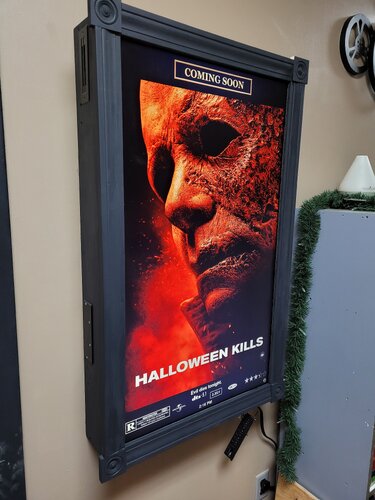 Hi, I'm having a problem when using the Kodi plugin. Instead of a poster, I see a clip on my monitor. Can someone help me? Thanks. I speak German if my English isn't that good.
 -
I probably expressed myself incorrectly. I digitally created a curtain that is transparent when opened. Now I wanted to insert the video bumper so that the film starts while the curtain opens. Unfortunately, the clip runs through and only then does the film start.
-
Hi, is it possible for a curtain to open and the Movie to start immediately in a transition?
-
That's brilliant.
-
In any case, German, you would make some people here happy. Thanks
-
Thank you. It works perfectly. If you change "language=en-DE" like this, the trailers remain in English. If you change it to "language=de-DE" then the trailers are in German. Thank you for your encouragement. So folks, you can now enjoy the trailers from TMDB in German.
-
That's great. How exactly did you set it up so that you also have German trailers? Some people will be excited if that's possible. Thank you
-
Thank you very much Matt, now it works.
-
hi, try to install this zip via addon. then try again. click
-
ok, meinst du drei scripte einzeln schreiben oder alles in ein script schreiben licht ein, sleep und dann dimmen. ich lese gerade raus, dass ich ja .cvaction erstelle und bei dir steht .pseaction. könnte es daran liegen? ich erkläre dir mal kurz warum ich so ein aufwand betreibe. am anfang kommt eine vorschau mit alte 80er werbung. dann kommt ein neues single file und das licht soll 3min an bleiben und danach langsam aus gehen. das action file muss also vor das single file stehen um zu greifen.