Matt
Administrator
-
Joined
-
Last visited
-
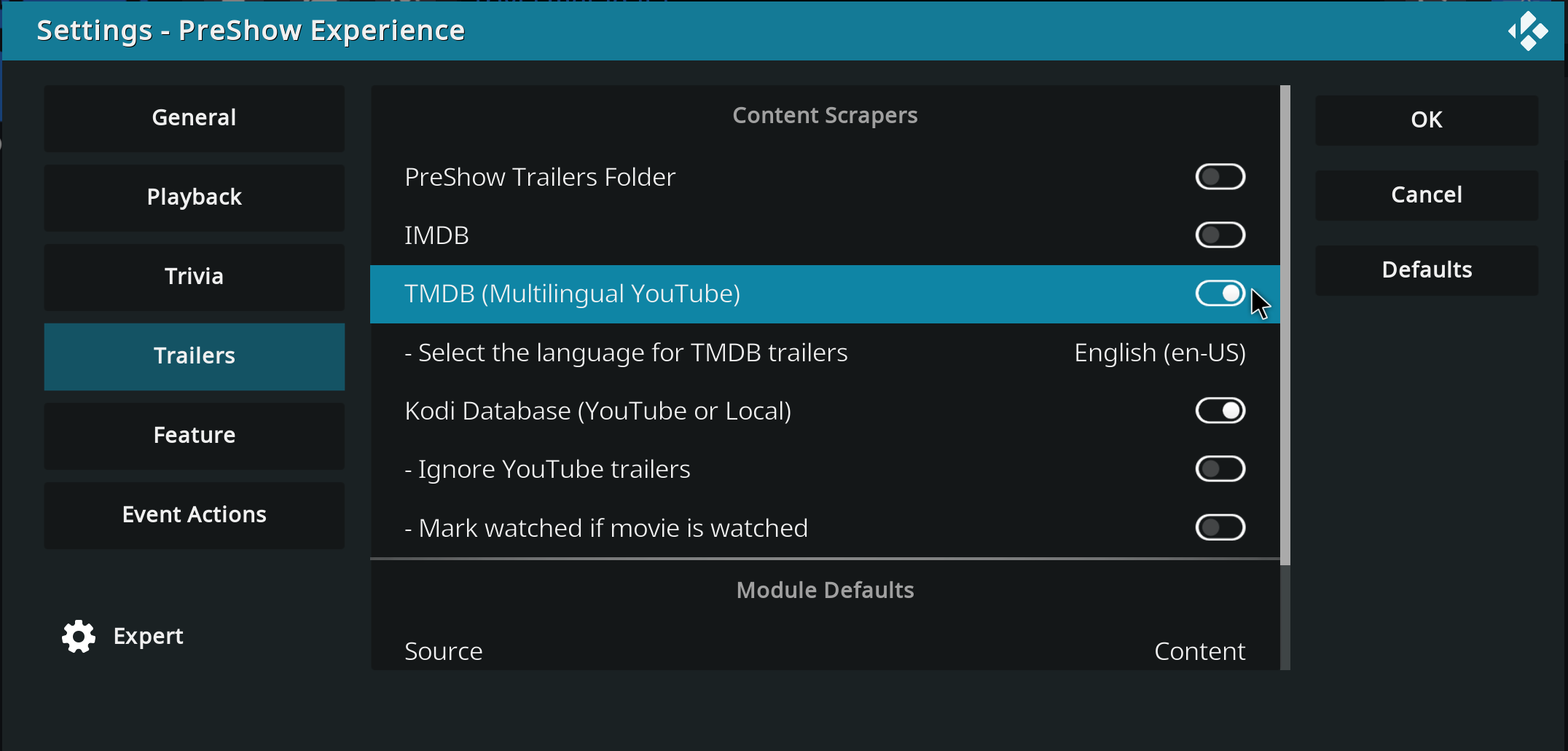
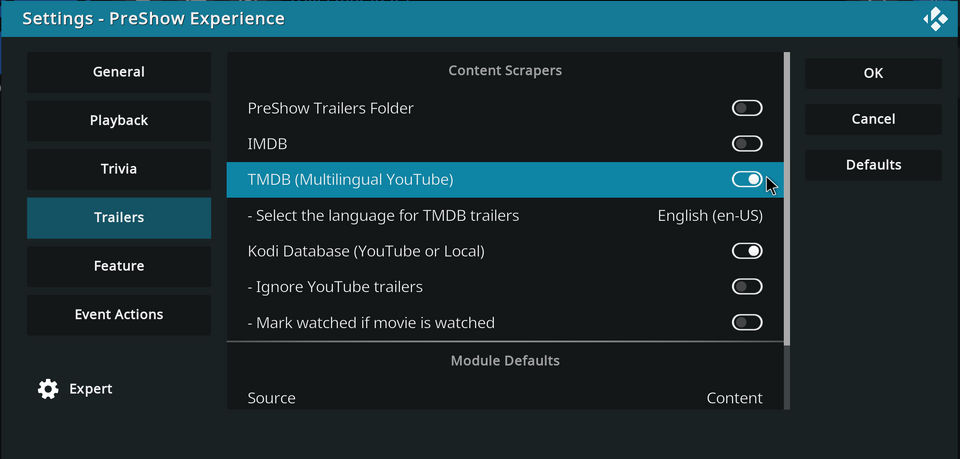
Looking at the log, your sequence doesn't have a scraper set. They need to be turned on in the settings and set in the sequence. info <general>: [- PreShow Experience -] (API): scrapers: '' Here's what mine looks like: info <general>: [- PreShow Experience -] (API): scrapers: 'TMDB' Also, I did find that the IMDB scraper is broken. I am unfortunately not sure if it fixable or not.
-
Has the scraper been disabled in settings?
-
What version of PreShow are you using? Have you tried the different trailer scrapers individually? Are you updating your content?
-
This is looking really good. Great job.
-
Glad you got it fixed. Which version of Preshow are you on?
-
Announcing the release of Kodi 22 “Piers” Alpha 3! Usual words - the step from 21 to 22 is a major release, but it’s also an Alpha at this stage, so you’re going to get some bugs as well as funky new features. That is, of course, a major part of the point of early release software: please raise Github issues with full debug logs to help us resolve any regressions you wonderful testers come across. Okay, what’s new in this version? Changelog Release highlights Added support for taglines in TV shows Added support for H264 AVCC subtitles Added support for full IANA language tags Added JSON RPC methods “Player.GetChapters” and “Player.OnPropertyChanged” Upgraded FFmpeg to v8.0.1 Upgraded Python to v3.14.3 Changed MySQL/MariaDB charset to utf8mb4 and collation to general_ci (case insensitive) Video Improved Blu-ray support for both menus and playback Improved TV show episode handling for blu-ray Improved changing chapters in movies Improved seeking during tempo change Audio Changed default samplerate from 44.1kHz to 48kHz Fixed missing 200ms of audio at the start of video playback Fixed occasional missing audio when changing playback speed Fixed AC3 audio duration being incorrect for non-48KHz content Improved handling of low-latency audio Subtitles Fixed handling of WebVTT (ISOBMFF) subtitles Fixed PGS/VobSub subtitle selection for foreign audio tracks Fixed crash when handling some BCP47 language tags added in Alpha 2 Library Improved tagline handling for movies and TV shows Games Added N64 support using software rendering Improved shader support Fixed Black screen for games with unaligned textures Fixed crash when changing resolution Streaming and network Fixed playback of tcp:// streams Fixed media info display for strm:// streams Fixed occasional errors resuming UPnP playback Stacks and compressed archives Added support for folder stacks, useful for DVD/Bluray folders Improved playback of folder stacks Improved handling media inside compressed archives Fixed handling of zip files greater than 4GB Profiles Improved creating profiles in custom folders Fixed deadlock when viewing Weather with multiple profiles Highlighted current profile in profile selection dialog Platforms Android Fixed Auto Frame Rate (AFR) when resuming from standby Improved handling of Dolby Vision L5 metadata Improved handling of foreign subtitles webOS Video General improvements for Dolby Vision support Improved handling of Dolby Vision L5 metadata Fixed tempo control webOS Audio Improved audio passthrough support Improved volume handling in non-passthrough mode Improved Dolby Digital audio when using eARC Fixed AAC playback on some older versions of webOS Windows Added front-to-back rendering Changed default audio output to XAUDIO and WASAPI Fixed Kodi unable to run on Windows 8.1 Linux Improved power management for systems without logind Extended range of keyboard keys and remote buttons Fixed long-pressing keyboard keys on Wayland FreeBSD Extract to disk instead of RAM for large compressed archives A little love for developers and security researchers (For researchers) Dropped some unused code that kept tripping CVEs (For developers) New KodiAI app on GitHub (For developers) Added support for Visual Studio 2026 (For developers) Improved compatibility with C++23 (For developers) Added meson support for building dependencies Known Issues Kodi is incompatible with MySQL 9.6 (‘sets’ is now a reserved keyword). A fix will be devised for the next v22 prerelease. Blu-ray stream details aren’t saved in the library Builds If cutting-edge software is your thing, you can get Alpha 3 from here. Select your platform of choice, and look in the “Prerelease” section. Again, though, please: expect some breakage, don’t use this as your daily installation unless you know how to get things working again, and please share your experiences back with us so we can really get going on those bugs. And take a backup first! As usual, in the full spirit of open source, you can see what’s changed since Alpha 2 here and from v21.3 here. View the full article
-
So, here we are, back in the roo atm after a day of sidebar meetings, coding, hacking, experimenting, and general conferencing. Time for some more structured sessions, starting with some of our partner projects. Chewitt started us off with an overview of LibreELEC: hardware updates and changes, new chip set support, some challenges with older SoCs, plans for standardising e.g. kernel trees more, and so on. He also covered topics such as the challenges around supporting set-top box DVB tuners, plus deprecated video drivers and implications for users. Beyond that, the project is healthy, with a broadly stable user base and positive finances. Keeping with third-party projects, Flole next gave a brief update on Tvheadend, mostly around development status, plans for a new interface, CI/build process, and a few others. (As an aside, both projects have recently celebrated milestone anniversaries: LibreELEC is ten years old, and Tvheadend has just passed 20. Happy birthday to both projects!). And to collect the set, samnazarko then took the floor to talk about OSMC. As a turnkey, commercial consumer device, things are going well, although there’s pressure from RAM prices as you’d probably expect. He talked about the challenges around TV-led playback versus player-led (basically, where’s the decoding being done), and took a long detour through HDR technologies, colour spaces and tone mapping. Next up, sarbes spoke about upcoming UI changes, mostly in the sense of textures and component rendering. These will deliver significant performance gains on low-end and embedded devices, and anything using a heavier, multi-layer skin. razzee then took us through some website updates. These aren’t really user-facing, but shouldd give us some performance benefits as well as security improvements: library updates, a new framework, and updates to the CMS itself. We also discussed future options and suggestions for the site. This conversation segued into blog/website workflow, how we could streamline that or open it up to more contributions, and how our AI tools could perhaps help with some contect-aware automation.. Juddering towards the end of the conference, jernej talked us through Linux colour APIs, which expose hardware capabilities to help with HDR on this OS. And that’s about it. Thanks to everyone for attending, and, equally, thanks to everyone reading this for the support. You are the people who make Kodi what it is. See you in 2028 … probably 😉 View the full article
-
Well, hello everyone! It’s that time of year again, when your favourite development team rouse themselves from their long winter slumber and emerge, blinking in the light, to reconnect with their fellow creatures. Welcome to DevCon 2026! We’re coming to you this year from about an hour outside Barcelona, which makes this a return visit. Not that it matters, I guess; you probably know how this works by now, so let’s get straight in … As seems to be tradition now, we kicked off with a round of reminiscences - how long people have been team members, how they first got involved in Kodi, and past DevCon glories. Hey, don’t judge, we don’t get to see each other very often. keith then gave a quick board/financial overview. The Kodi project remains firmly solvent, although we do get far less money from donations and sponsorships than once was the case. DevCon is our largest single expense, so we’ll almost certainly skip 2027 to make sure we can invest in hardware, hosting, Weblate, trademark fees and similar. Speaking of trademarks, we’ve been working through many years of Foundation legacy, tidying up loose ends. It’s all long overdue, but there’s a chunk of legal and government costs there that we still need to incur. We then moved onto a conversation about AI tools, options on the market, and their value - both relative costs and how they might work within the extended Kodi development ecosystem. Next up, GSoC 2027 - how much do we want to participate, who might mentor, what potential projects. razze then picked up a theme we’ve been watching for a couple of years now - the viability of moving from Slack to [matrix] as the latter continues to mature. One of the biggest challenges is the inability to migrate channel histories. As such, we’ll quite probably stay where we are unless we have some more compelling reason to make the switch. Sticking with razze, we then switched direction to Flatpak and how that’s shaping up for future releases. We have some challenges about packaging add-ons, the resultant size of any downloads and what options we might have there. Rewinding slightly, keith next lead a conversation about our existing use of AI, and our KodiAI tool. This is a home-grown capability that came about to get around the restrictions of mainstream tools, although it still uses those tools behind the scenes. We’re currently using this for PR code reviews and issues, but we also talked about future possibilities and where we might go next. We may well come back to this for a bit of a deeper dive over the next couple of days if time allows. Moving on, garbear took the floor to update everyone on progress with Retro player and peripheral/accessory support. Those updates include multi-disc support to emulated games that came on more than one CD - effectively, a playlist. He also covered further work on video filters - a long-standing “coming soon” feature formerly known as shaders - and how they can be used to alter the appearance of a game in realtime. While he was up, garbear then moved on to release management: some of the challenges we have with the 21.x series due to Android API bumps, and some of the plans for the release of 22.x alpha to beta to release. Next up, yol took us through some server topics, specifically around current OS versions, implications and options. A quick segue into upcoming conferences, events and similar, and we’re pretty much done for the night. Take care, all, and we’ll see you again tomorrow. View the full article
-
-
I'll look into it. Thanks for the suggestion.
-
Great work on this. I have a lot of new functionality that I've worked on with PreShow that is on a similar path to this. I may add an action or similar functionality to make it easier to do stuff like this without the need to modify PreShow.
-
That's a good catch. I don't think there is a volume control for slideshows. All of the volume controls are in playbook in module volumes. I'll add slideshow controls there. Thanks for letting me know about this.
-
In my first test, the system worked the way I initially intended: it grouped trivia by decade, rating, and genre, and selected content based on those matches. That part was fine and worked as expected for testing. However, once I started adding more detailed movie-specific trivia, it quickly became clear that this approach was pretty boring in practice. The system always chose the “best” match first, and because many movies have large trivia packs, it would end up playing all the trivia for a single movie before moving on to the next best match, and then the next, and so on. To fix that, I changed the behavior. In the current version, the system plays a slide from the best-matching folder, then skips that folder for a random number of slides (3–6). It then does the same with the second-best folder, and continues down the list. This creates the feel of randomness, while still giving higher priority to more relevant content. I had forgotten that I made this change until I went back and reviewed the code, which is why the behavior didn’t line up with how I described it, and wasn't what you were expecting.
-
ffmpeg had the functionality, but Kodi didn't update to a version with it. I don't think it was a simple replace to update it, so it took them a while. I wouldn't change the names of your movies. I'm not going to remove the functionality for the file names, so having them named that way will guarantee that they load the appropriate bumper. There's no need for you to risk kodi losing any info for your movies by changing the name. I don't think Auro 3d will be included, just Atmos and DTS:X. I've been slowly working on new stuff for PreShow, and hope to make some huge improvements this year.
-
It looks like Kodi 22 recognizes Atmos and DTS:X. I'll see what I can update when it is official.