
Trivia Preview: Pressing ESC Exits preShow Experience and Loses Unsaved Changes

Featured Replies
Topics
-
Grab the popcorn. Dim the lights. The first teaser for the all-new PreShow Experience 1.0 has arrived. The teaser is a screen recording shown at 3× speed to provide a quick look at what the new PreShow can create. PreShow Experience has been rebuilt from the ground up with one main goal: make it easier to create and enjoy a personalized theater experience while improving the advanced capabilities longtime users want. This is more than a visual refresh. The new version introduces: A guided setup
-
Curious if there’s a way to program a sequence action or other method to advance to the next item based on a specific clock time. Here’s the scenario I run into: we program outdoor movies in our park, and the schedule needs to be pretty precise. We typically run a 30-minute block of trivia while people get situated, followed by a 9-minute theater intro, with the feature film starting right at 8:00 PM. That means I need to start the sequence at exactly 7:21 PM to keep everything on schedule. The
-
Bug Report preShow Experience Version: 0.3.2.1 Module: Trivia Severity: High — potential loss of unsaved sequence changes Summary The Preview feature is very useful because it allows individual modules to be tested without having to run through the entire sequence. For most modules, pressing ESC while previewing exits the preview and returns to the Sequencer as expected. However, the Trivia module behaves differently. When Trivia is launched using Preview and ESC is pressed to exit, preShow Expe
-
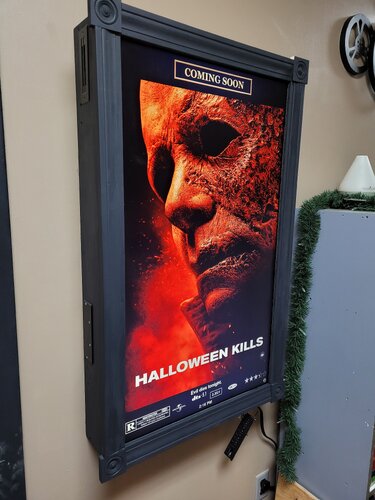
Movie Poster App -modded- Modified Movie Poster App This is a modified version of the movie poster app from Great Dane Cinema. Modified to work with Preshow experience to show the preshow logos during your sequence. This is temporary solution until the Great Dane Cinema Can be requested to make the necessary changes to the program .. *Notes* Youtube dl files have been updated as of 1-11-25 for Preview Trailers to work Some other modifications Icons Ect. for my preferences were added for my
-
IMAX Countdown RGB Laser Edition I color graded the IMAX Sonic Anthem Countdown and IMAX Enhanced Bumper in DaVinci Resolve and added a few new VFX to spice it up as a showcase for RGB Triple Laser Projectors. File Information Submitter badpuppy3 Submitted 08/06/2026 Category Countdown View File





Bug Report
preShow Experience Version: 0.3.2.1
Module: Trivia
Severity: High — potential loss of unsaved sequence changes
Summary
The Preview feature is very useful because it allows individual modules to be tested without having to run through the entire sequence. For most modules, pressing ESC while previewing exits the preview and returns to the Sequencer as expected.
However, the Trivia module behaves differently. When Trivia is launched using Preview and ESC is pressed to exit, preShow Experience closes entirely and returns to the main Kodi screen instead of returning to the Sequencer.
This can result in the loss of any unsaved changes made to the sequence before the Trivia preview was started.
Steps to Reproduce
Open preShow Experience and enter the Sequencer.
Make one or more changes to a sequence without saving them.
Select a Trivia module and launch it using Preview.
Press ESC to exit the Trivia preview.
Actual Result
preShow Experience exits completely and returns to the main Kodi screen.
Any unsaved changes made to the sequence prior to starting the preview are lost.
Expected Result
Pressing ESC while previewing the Trivia module should behave consistently with other module previews: the preview should close and the user should be returned to the Sequencer with the current sequence and any unsaved changes intact.
Impact
This is particularly problematic because the behavior differs from other module previews. A user accustomed to pressing ESC to return to the Sequencer has no indication that doing so from Trivia will instead exit preShow Experience.
Because the application exits without preserving the current sequence state, this can cause significant work to be lost.
Suggested Behavior
The Trivia preview should handle ESC in the same manner as other module previews and return directly to the Sequencer.
If exiting preShow Experience is ever possible while there are unsaved sequence changes, it may also be beneficial to display a confirmation prompt before allowing those changes to be discarded.