
Problem with trailers (IMDB - TMDB maybe?)
- Replies 5
- Views 688
- Created
- Last Reply
Top Posters In This Topic
-
Matt 3 posts
-
leonardogm 1 post
-
Trymz 1 post



Most Popular Posts
-
What version of PreShow are you using? Have you tried the different trailer scrapers individually? Are you updating your content?
Most Helpful Posts
-
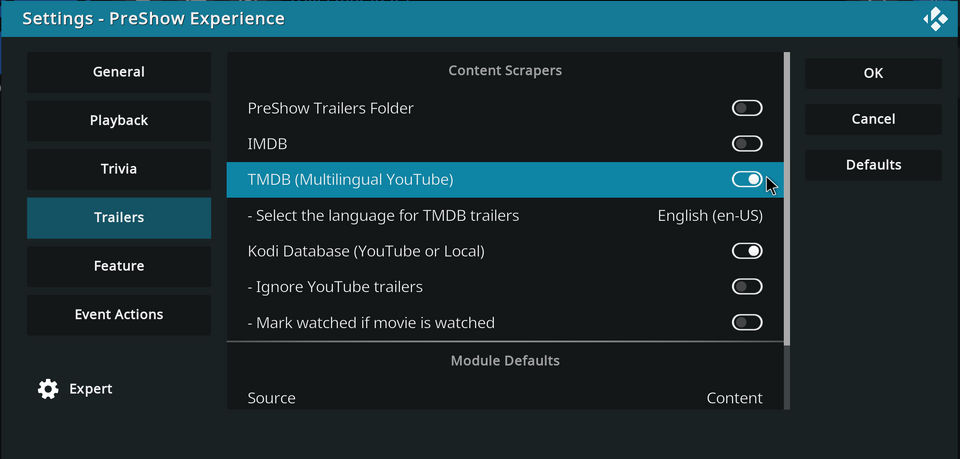
Looking at the log, your sequence doesn't have a scraper set. They need to be turned on in the settings and set in the sequence. info <general>: [- PreShow Experience -] (API): scrapers: '' Her
Posted Images
Featured Replies
Topics
-
Hi all, I cannot use the addon for a while. Kodi 21.2 build. The addon starts up but when I try to edit the sequence, the buttons are not visible and I cannot do anything. I tried to import one of my old sequence and it seems like loads in but anything I try to choose there is no buttons after the bottom line. The play button gives me complete black screen and I have to kill kodi and restart it again. I have installed the addon from the repo 0.3.7.a1 on android tv. my content path is in the netw
-
IMAX Enhanced - Bumper (Short) 4K Dolby TrueHD 5.1 File Information Submitter ToastyMaster07 Submitted 06/26/2026 Category Brands View File
-
Hello, I hope you're all well... Until yesterday, my trailers in the pre-show were working normally... I have it configured to show trailers for movies I don't own, with the intention of discovering new things. But today it stopped working; it only pulls trailers for movies I have in the database, and if I disable the Kodi database option, it doesn't play any trailers at all, it just stays stuck on a black screen. Does anyone have any idea how I can solve this problem? Thank you in advance.
-
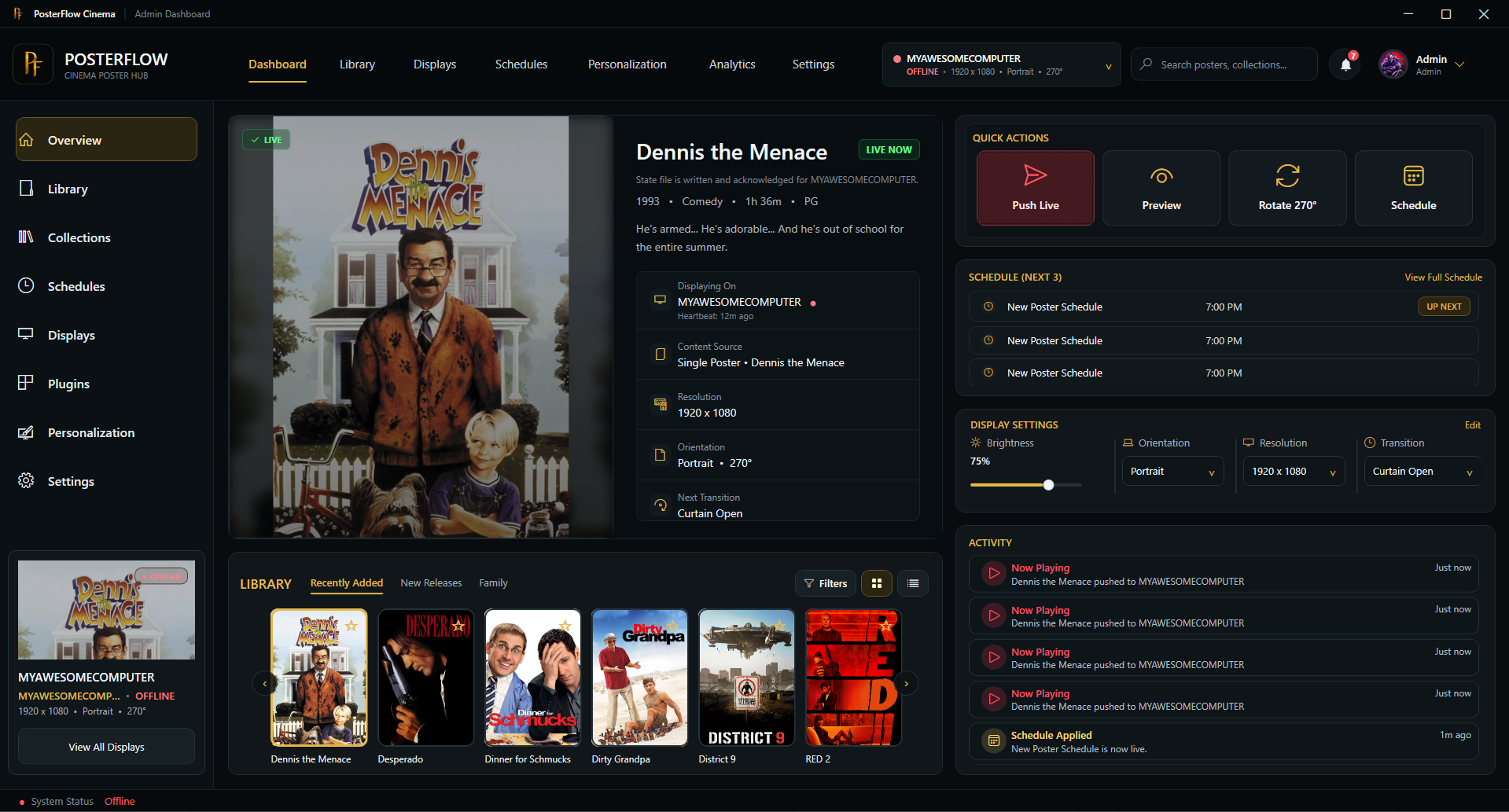
Hey everyone, I wanted to share an updated introduction to something I’ve been building called PosterFlow. PosterFlow started as a personal home theater project. I wanted a cleaner way to manage digital poster screens without constantly juggling folders, images, slideshow tools, display windows, schedules, and manual updates. The goal was to make poster displays feel more like part of a real cinema/preshow setup instead of just a rotating image folder. PosterFlow is a Windows desktop app with an
-
IMAX Countdown - Cameras (Made for IMAX) - 4K DTS-HD 5.0 Mix 4K MKV H.264 DTS-HD 5.0 Soundmix File Information Submitter ToastyMaster07 Submitted 05/26/2026 Category Countdown View File


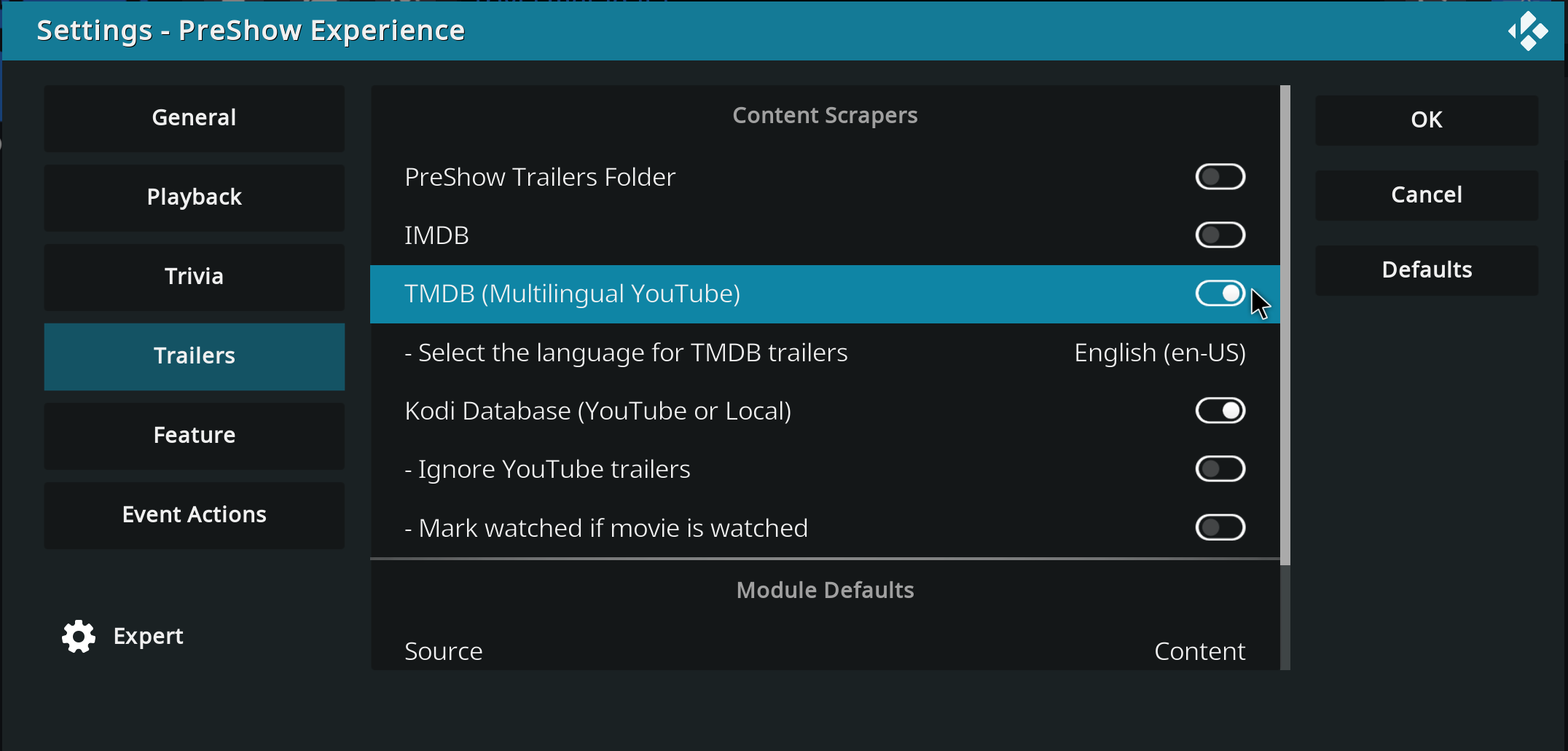

Hello, I hope you're all well... Until yesterday, my trailers in the pre-show were working normally... I have it configured to show trailers for movies I don't own, with the intention of discovering new things. But today it stopped working; it only pulls trailers for movies I have in the database, and if I disable the Kodi database option, it doesn't play any trailers at all, it just stays stuck on a black screen. Does anyone have any idea how I can solve this problem? Thank you in advance.