
Kodi News: Kodi 22 "Piers" Alpha 2
- Views 540
- Created
- Last Reply
Featured Replies
Topics
-
Hello, I recently updated my Hue Bridge to the Bridge Pro and now the lights won't work with PreShow Experience. This is all due to the Bridge Pro dropping HTTP support in favor of HTTPS with a self signed certificate (uses its' SN as the Common Name in the certificate). Basically anytime you try to access the Bridge Pro's API, it will fail SSL verification. A quick, but insecure, way to fix this would be to turn off SSL verification when making URL calls. Any way to make that an option in
-
Hi all, I cannot use the addon for a while. Kodi 21.2 build. The addon starts up but when I try to edit the sequence, the buttons are not visible and I cannot do anything. I tried to import one of my old sequence and it seems like loads in but anything I try to choose there is no buttons after the bottom line. The play button gives me complete black screen and I have to kill kodi and restart it again. I have installed the addon from the repo 0.3.7.a1 on android tv. my content path is in the netw
-
IMAX Enhanced - Bumper (Short) 4K Dolby TrueHD 5.1 File Information Submitter ToastyMaster07 Submitted 06/26/2026 Category Brands View File
-
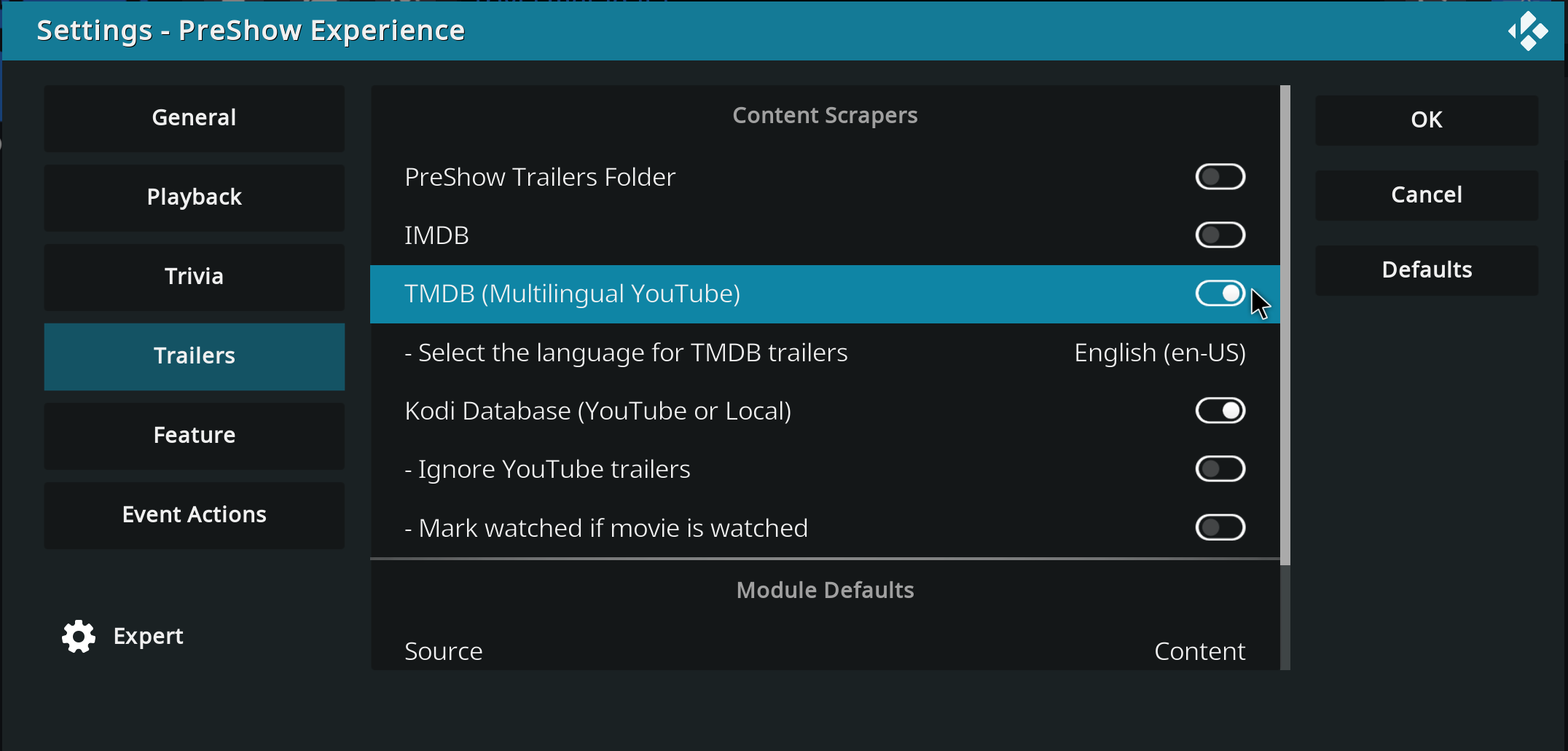
Hello, I hope you're all well... Until yesterday, my trailers in the pre-show were working normally... I have it configured to show trailers for movies I don't own, with the intention of discovering new things. But today it stopped working; it only pulls trailers for movies I have in the database, and if I disable the Kodi database option, it doesn't play any trailers at all, it just stays stuck on a black screen. Does anyone have any idea how I can solve this problem? Thank you in advance.
-
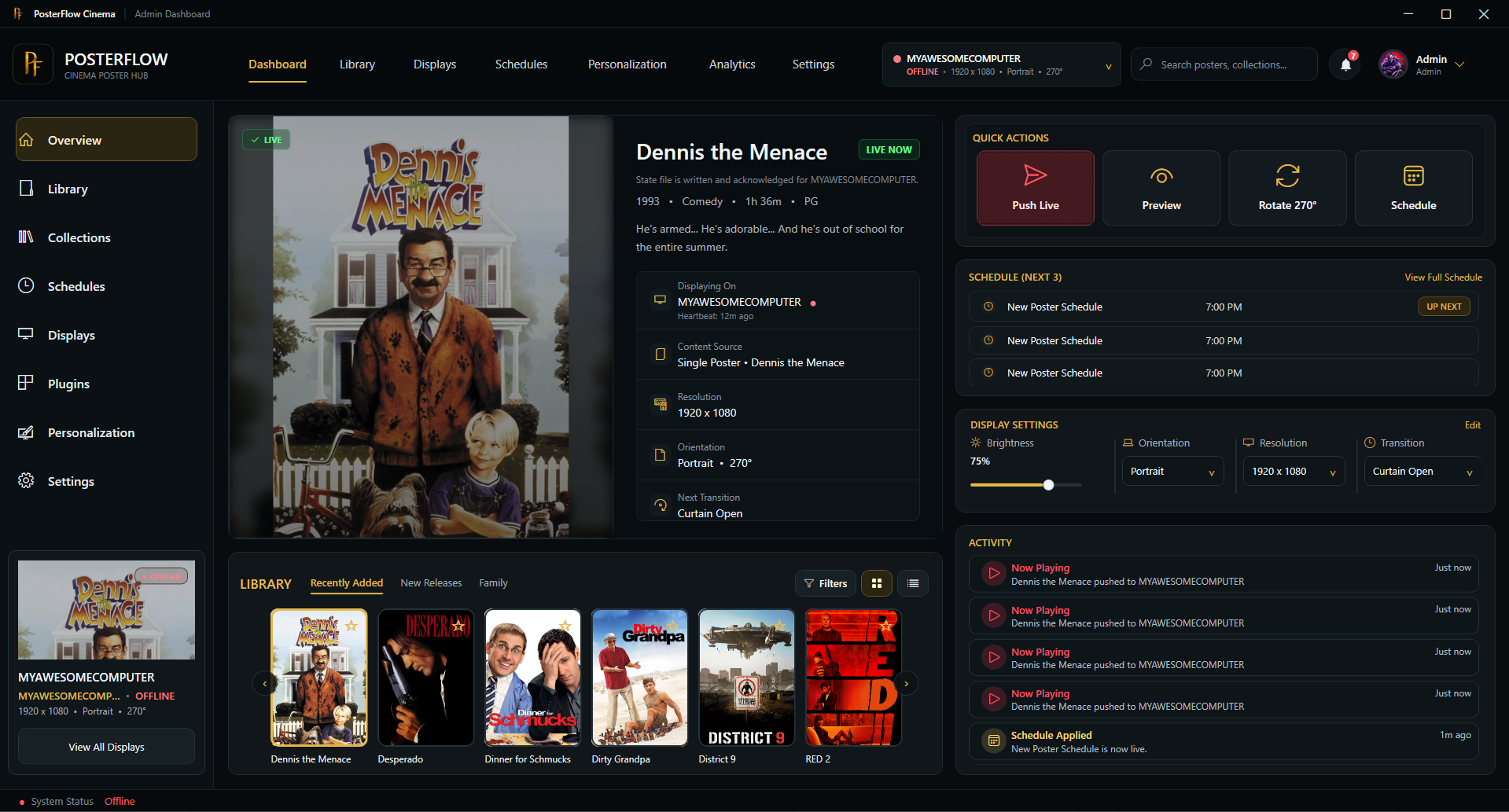
Hey everyone, I wanted to share an updated introduction to something I’ve been building called PosterFlow. PosterFlow started as a personal home theater project. I wanted a cleaner way to manage digital poster screens without constantly juggling folders, images, slideshow tools, display windows, schedules, and manual updates. The goal was to make poster displays feel more like part of a real cinema/preshow setup instead of just a rotating image folder. PosterFlow is a Windows desktop app with an






It is the season for giving, so, for those who want the latest and greatest, this is for you: hot on the heels of Kodi 22 "Piers" Alpha 1 (and Kodi 21.3 "Omega"), we present the perhaps predictably-titled Alpha 2.
Usual words - the step from 21 to 22 is a major release, but it's also an Alpha at this stage, so you're going to get some bugs as well as funky new features. That is, of course, a major part of the point of early release software: please raise GitHub issues with full debug logs to help us resolve any regressions you wonderful testers come across.
Okay, what's new in this version?
Video/audio
Library/Sources and Management
PVR
Weather
Python
Platforms
If cutting-edge software is your thing, you can get Alpha 2 from here. Select your platform of choice, and look in the "Prerelease" section. Again, though, please: expect some breakage, don't use this as your daily installation unless you know how to get things working again, and please share your experiences back with us so we can really get going on those bugs. And take a backup first!
As usual, in the full spirit of open source, you can see what's changed since Alpha 1 here and from v21.3 here.
View the full article