
All Activity
- Today
-
 The more observant of you will have noticed that we've had some issues getting this version out to everyone, so some of you will have received this already depending on what channel you use (Flatpak, Google Play, winget community repos...). No matter, it's here for everyone now. While work is well underway on our next major release, with Alphas already out for Kodi 22.x "Piers", this doesn't mean we've given up on 21.x "Omega", as that's very much still our current release. So, with minimal fanfare, we present to you a package of changes, bug fixes and backports that we like to call Kodi 21.3 "Omega". Full changelog from 21.2 here. Release Summary Major user-facing changes include: Video Added HDR support on Xbox One Fixed Blu-ray playback on Linux Fixed audio/subtitle issues when resuming Blu-rays Fixed handling of HDR10 light metadata changes Fixed subtitle selection for ISO 639-1 (two-letter) language codes Library/Sources and Management Improved speed of video library rescans Fixed multi-episode files overwriting the first episode Fixed info dialog for certain Movie Versions Fixed some false positives detecting Movie Versions Music Fixed CDDB lookups using Gnudb.org's CDDB API Fixed album search failing for artist names Audio Fixed rare Pipewire crash when connecting/removing audio devices PVR Fixed crash when a PVR stream is stopped via remote app Peripherals Added support for Turkish keyboards on Linux Fixed enabling and disabling Pulse-Eight CEC adapters Fixed the Delete and Alternative Insert keys on macOS Fixed minor visual glitches when managing peripherals Addons Fixed updating add-ons after 25 days of inactivity (extended to ~68 years) Skin/GUI Fixed busy dialog crash when multiple dialogs are opened Fixed suspend dialog remaining open after the system wakes up Improved touch support for slider dialog arrows Network Added support for HTTP Basic Authentication Fixed some network streams failing due to interrupted HTTP/2 transfers Updated libnfs to v6 for embedded platforms Updated CA certificates to 2025-07-15 from the Mozilla CA certificate store I know we always say this, but, genuinely - sincere thanks go out to everyone who's helped to identify, isolate or fix any issues. If you know of anything that's still irking you, please, post in the forums, or raise an issue on Github, as we can't fix what we don't know about. As this is a point release, there are no major changes since the previous version, and you should be fine to install this straight over the top of any existing Kodi 21.x installation - indeed, this will happen automatically on many platforms. However, as for all software installations, back up your userdata beforehand if you've any doubts or have anything you can't afford to lose (and definitely do this if you're going for a major version upgrade). A list of all changes for this version can be found at GitHub. If you want to read back on the full history of v21 itself, or of previous versions, you can find the corresponding articles in the relevant blog posts. Application deployment on different platforms (notably the Microsoft Store) can vary considerably due to circumstances outside of our control, so just be patient, and the update will inevitably find its way through. Windows Store/Android Deployment Due to the internal and external hoops we need to jump through, it might be a little while before the update appears for you, and that's before our usual staged approach to deployment. Sit tight, and it will be with you in due course (maybe the next week or two). View the full article
 -
 maddox01 joined the community
 -
 killa joined the community
 - Yesterday
-
 cf5678 joined the community
 - Last week
-
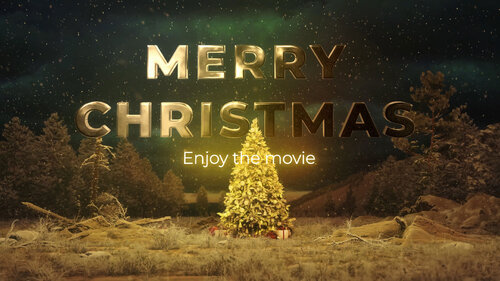
Merry Christmas 2025 from PreShow Experience This is a 4k Merry Christmas bumper with 5.1 audio. File Information Submitter Matt Submitted 12/11/2025 Category Holiday Bumpers View File
-
This is a 4k Merry Christmas bumper with 5.1 audio.
-
 tooviral joined the community
 -
 JoeSwanson joined the community
 -
 Homsen joined the community
 -
 sipodshow joined the community
 -
 semox joined the community
 - Earlier
-
Thanks for uploading that. I have a copy of it somewhere that I showed during one of my horror movie nights a few years ago, and it did a good job of setting the mood.
-
 Some awesome fellow on Reddit had a link to the HD version of this, so I uploaded it "a busload of thrills and cool casual comfort"
 -
A busload of thrills and cool casual comfort Looks retro but it's newer, has some cartoony blood. This is a suitable bumper for a horror movie File Information Submitter Quebert Submitted 12/02/2025 Category Commercials View File
-
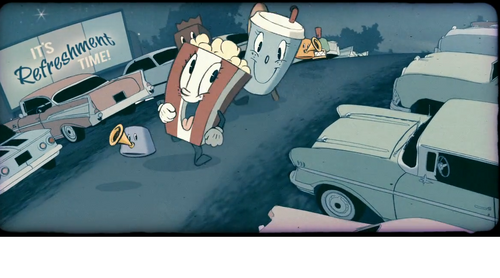 Looks retro but it's newer, has some cartoony blood. This is a suitable bumper for a horror movie
 -
I asked on Reddit and someone knew what I was talking about. Linky It's only 360p, but it's still an amazing bumper. Now that I know the name I'm gonna poke around Google and see if I can find an HD version. It looked amazing on the big screen at AMC. This is definitely one of the coolest concession stand bumpers I've seen. I have a ton of bumpers but nothing that caters to horror movies. This would be a great one to use for scary movie nights.
-
I watched the Vincent Must Die & Hallow Road double feature tonight. Between the movies, they showed a concession stand cartoon bumper that mimicked the old ones from the 60's, well probably even before that. It was cutsy and looked pretty sharp, but also had a lot of grain artifacts added to make it feel old. And about half way thru it got super dark, there was blood and the popcorn bucket character was stabbing his eye out. I've seen other horror movies at AMC but never seen this. So I'm guessing it's either new, or it was just for 1 of these 2 movies. Now I'm wondering if maybe it was something from an animation festival, it felt like I would have seen this at one of those 35 years ago. (I went every summer to watch them) I need to have this in my bumper catalog. I serious doubt it's something I could download. But I might be wrong, so I'm checking to see if anyone here has seen this? I have a bunch of cartoony concession stand bumpers from 40 years ago. But this is definitely new, and I don't have any that go from happy happy to dark and evil.
-
 I'm a huge fan of The Conjuring films with 1 and 2 being the gold standard imho for this genre. Honorable mention goes out to The Fourth Kind (it still freaks me out to this day as it reminds me of a night nearly 3 decades ago when I found myself awakened in bed for some reason and locked eyes with something staring back at me at the foot of my bed and I couldn't move a muscle). It's the only film I can't watch in the room alone. If you're looking for something different check out Strange Harvest. 👀
 -
I haven't seen Pumkinhead in a really long time. How did it hold up?
-
 Im currently watching the with the kids and it cuts down the selection immensely started punkin head last night
 -
Anyone watch any good horror movies this year?
Here are all the current holiday bumpers: https://preshowexperience.com/files/category/17-holiday-bumpers/
 Beautiful! Using it in my current PreShow using Plex and NexRoll. Also have it set up with a Kodi instance and the PreShow Experience script. If you do any other holidays, I'm looking forward to seeing the results! Thank you!
The image needs to be in a subfolder.
Beautiful! Using it in my current PreShow using Plex and NexRoll. Also have it set up with a Kodi instance and the PreShow Experience script. If you do any other holidays, I'm looking forward to seeing the results! Thank you!
The image needs to be in a subfolder. Hello, I want to have an image being displayed with music playing in the background before the preshow and the movie starts. I added a slidshow element to my pre-show and added only one image to the directory and also selected the directory where the music is at (see also images below). The problem is: The slideshow is not displayed and just get's skipped... I also tried adding multiple images, but that didn't work either. What do i do wrong? Thanks! This is how my configuration looks like: https://postimg.cc/gallery/CYtNv90
Because for my liking, the switch between some elements is too quick. I think I will do it by just adding some black to the beginning of my element.
PreShow doesn't have an option to pause between videos. The workaround would be to create a black image and use the slideshow module between them to set the pause time, or to create a short blank video to play between the elements that is set to whatever time you want the pause duration to be. Out of curiosity, why do you want the pause?
Hello, I am currently trying PreShow Experience and wanted to know if, and if so how, I can set a pause/delay between elements? Saying I have commercials playing followed by trailer, I would want a few seconds break between the two. Is that possible? Thanks!
Hello, I want to have an image being displayed with music playing in the background before the preshow and the movie starts. I added a slidshow element to my pre-show and added only one image to the directory and also selected the directory where the music is at (see also images below). The problem is: The slideshow is not displayed and just get's skipped... I also tried adding multiple images, but that didn't work either. What do i do wrong? Thanks! This is how my configuration looks like: https://postimg.cc/gallery/CYtNv90
Because for my liking, the switch between some elements is too quick. I think I will do it by just adding some black to the beginning of my element.
PreShow doesn't have an option to pause between videos. The workaround would be to create a black image and use the slideshow module between them to set the pause time, or to create a short blank video to play between the elements that is set to whatever time you want the pause duration to be. Out of curiosity, why do you want the pause?
Hello, I am currently trying PreShow Experience and wanted to know if, and if so how, I can set a pause/delay between elements? Saying I have commercials playing followed by trailer, I would want a few seconds break between the two. Is that possible? Thanks! Guest posted a topic in PreShow ContentDTS - The Digital Experience 1993 introducing dts File Information Submitter tayda1121 Submitted 09/16/2025 Category Audio Format View File
 Guest posted a file in Audio Format
1993 introducing dts
Guest posted a topic in PreShow ContentDTS - Sparks DTS Sparks 35mm File Information Submitter tayda1121 Submitted 09/16/2025 Category Audio Format View File
Guest posted a file in Audio Format
1993 introducing dts
Guest posted a topic in PreShow ContentDTS - Sparks DTS Sparks 35mm File Information Submitter tayda1121 Submitted 09/16/2025 Category Audio Format View File