- Open Club
- 5 members
What's new in this club
-
In my first test, the system worked the way I initially intended: it grouped trivia by decade, rating, and genre, and selected content based on those matches. That part was fine and worked as expected for testing. However, once I started adding more detailed movie-specific trivia, it quickly became clear that this approach was pretty boring in practice. The system always chose the “best” match first, and because many movies have large trivia packs, it would end up playing all the trivia for a single movie before moving on to the next best match, and then the next, and so on. To fix that, I changed the behavior. In the current version, the system plays a slide from the best-matching folder, then skips that folder for a random number of slides (3–6). It then does the same with the second-best folder, and continues down the list. This creates the feel of randomness, while still giving higher priority to more relevant content. I had forgotten that I made this change until I went back and reviewed the code, which is why the behavior didn’t line up with how I described it, and wasn't what you were expecting.
-
NightWatcherTheater replied to Matt's topic in PreShow Development Testing's PreShow Beta DiscussionAfter testing more i found out that only one works at a time if it has no rating the year will work if no ratings or year the genre will work 🤔
-
NightWatcherTheater replied to Matt's topic in PreShow Development Testing's PreShow Beta DiscussionOk after heavy testing, rating slides work flawlessly every time , But genre and year never do just random slides even tho the log shows them scoreing correctly.
-
NightWatcherTheater joined the club
-
omaroby joined the club
-
I'd appreciate it if anyone could give some feedback on whether the trivia metadata worked for them with the supplied trivia test pack.
-
Dge joined the club
-
MidnightWatcher joined the club
-
0.3.5.a1 has been added to the repo and the trivia folder for testing is linked above.
-
 This is the initial batch of trivia files for testing with PreShow 0.3.4.4-beta. The trivia testing pack includes the following: Rating G.jpg PG-13.jpg PG.jpg R.jpg Decade 1950s.jpg 1960s.jpg 1970s.jpg 1980s.jpg 1990s.jpg 2000s.jpg 2010s.jpg 2020s.jpg Genres Action.jpg Adventure.jpg Animation.jpg Comedy.jpg Crime.jpg Documentary.jpg Drama.jpg Family.jpg Fantasy.jpg History.jpg Horror.jpg Music.jpg Mystery.jpg Romance.jpg Science Fiction.jpg Thriller.jpg War.jpg Western.jpg And a .json file with the metadata.
 -
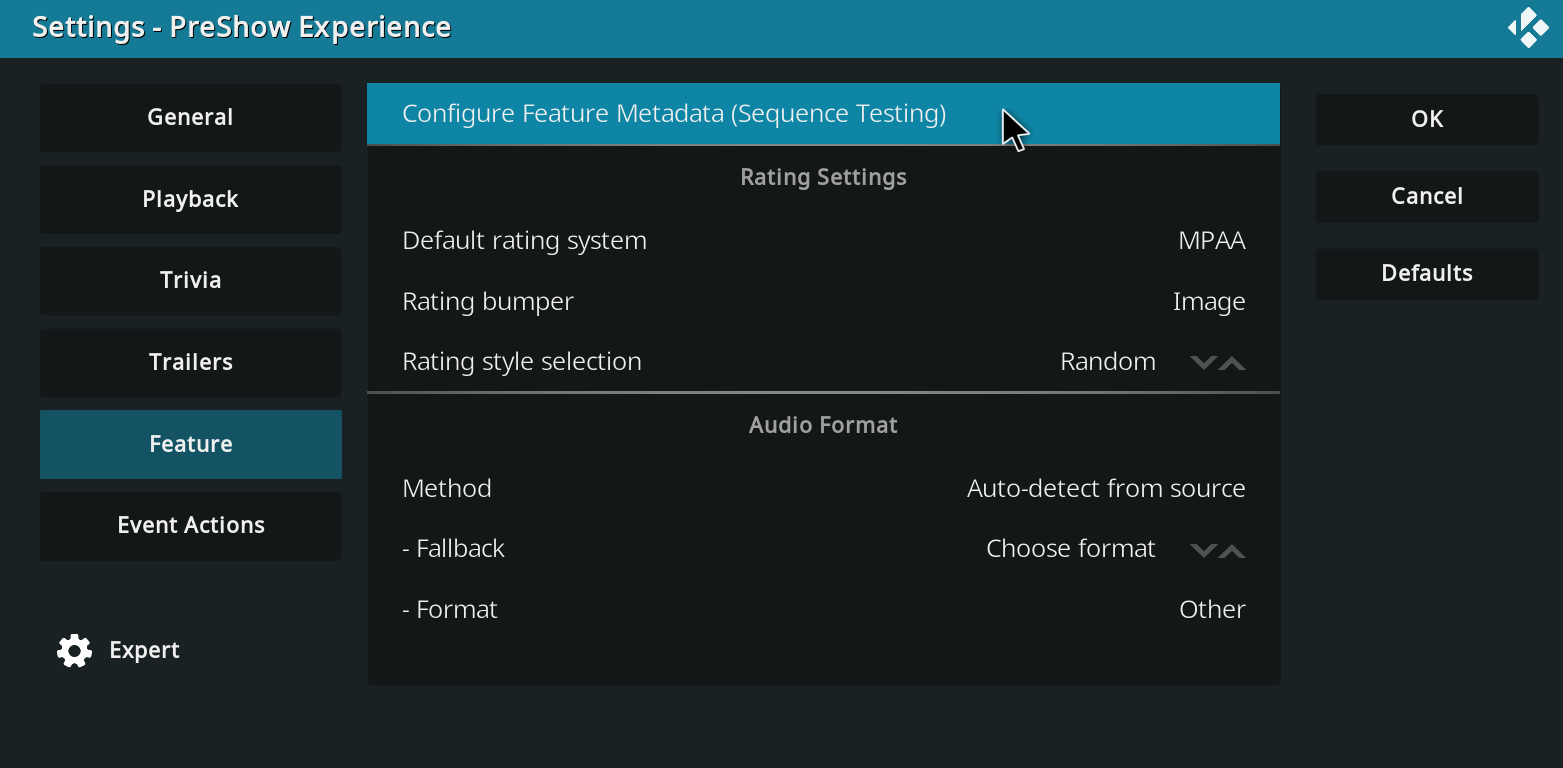
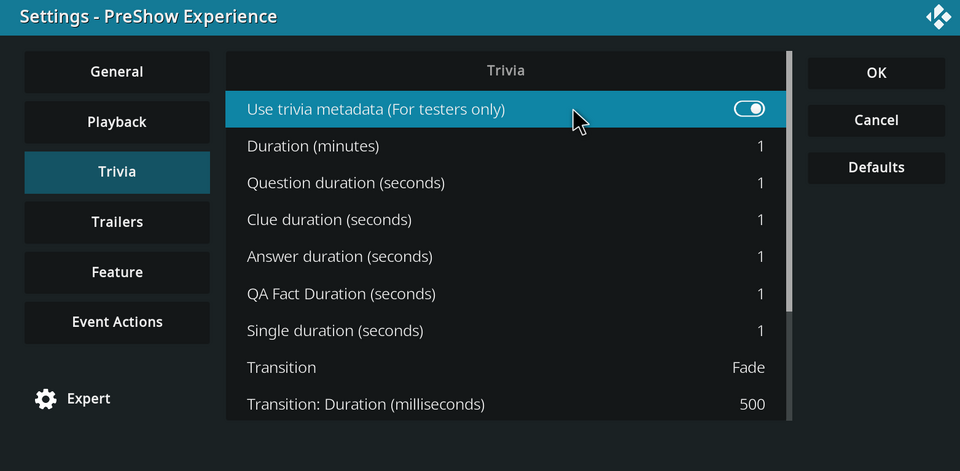
For the initial release of the trivia metadata I'd like for you to test the basic scoring functionality. Here is the trivia folder to be installed in your PreShow trivia content folder. The trivia testing pack includes the following: Rating G.jpg PG-13.jpg PG.jpg R.jpg Decade 1950s.jpg 1960s.jpg 1970s.jpg 1980s.jpg 1990s.jpg 2000s.jpg 2010s.jpg 2020s.jpg Genres Action.jpg Adventure.jpg Animation.jpg Comedy.jpg Crime.jpg Documentary.jpg Drama.jpg Family.jpg Fantasy.jpg History.jpg Horror.jpg Music.jpg Mystery.jpg Romance.jpg Science Fiction.jpg Thriller.jpg War.jpg Western.jpg These are all generic and have just been created for the purpose of this round of testing. I currently have ratings set to +20 in the ranking, so that should be the 1st thing that you see. Then the date range is worth +15 so you should see that next. Then each genre is worth +10. This should be a straight forward test, where you see 1 rating (note that I don't currently have anything for NR or NC17), 1 decade and an image for each genre. It is currently configured to only show trivia with metadata for testing purposes. These should be the only slides that you see. I will have it use trivia with or without metadata in the public versions. IMPORTANT: Trivia will not show anything if you have a folder selected. This is the correct behavior. It just doesn't play anything right now because I've disabled all other trivia for this testing. To enable the trivia metadata functionality, go into your PreShow settings and enable "Use trivia metadata" in the Trivia category. When you are finished testing, disable this to return to normal functionality. I'd like for you to test the trivia metadata functionality in the Sequence editor and with a few movies in your collection. To test in the sequence editor, please configure your feature metadata in the Feature category of PreShow's settings. Thank you for testing this out. I will respond to this thread when the repo is updated with the functionality and the trivia testing pack has been uploaded. Please feel free to ask any questions that you may have.

-
Thank you for your help with testing aspects of PreShow. I'll create different topics for specific functionality that I'd like for you to test.